Quick Answer: TRY Fitness combines workout and macro tracking in one app, letting you keep your lifting log and food log together under one subscription. You can review your training and nutrition without switching between separate apps.
Why Track Workouts and Macros in One App?
Your training and nutrition are connected. Your workouts provide the stimulus for strength and muscle growth, while your food intake helps fuel those sessions and supports recovery. If you’re trying to build muscle, lose fat, or maintain your current weight, looking at both can help you understand whether your routine is moving you toward your goal.
For example, if your training volume increases, it’s worth reviewing whether you’re eating enough to support the additional work. If your lifts start dropping during a cut, your training log and food intake can help you assess whether your calorie deficit, recovery, or training load needs a closer look. Neither situation automatically means you need to change your diet, but having both sets of data makes it easier to investigate.
With separate apps, you may have to switch between your workout history and nutrition diary to make those comparisons. Keeping both in one place makes that review more convenient and gives you a clearer picture of how your training and eating habits fit together.
Why Lifters End Up With Two Apps Instead of One
Many lifters use one app to track sets and reps and another to log calories and macros. That can mean paying for two subscriptions and keeping two separate records of their progress.
The bigger inconvenience is comparing the data. If your workout history is in one app and your food diary is in another, you may have to switch between them to review whether your eating habits align with your training goals. You might also need to compare weekly records manually, especially if the apps don’t sync with each other.
Keeping both records in one app reduces that back-and-forth. You can review your training and nutrition together without piecing the information together from separate tools.
Watch Out: Using separate apps can make it harder to maintain consistent training and nutrition records, particularly if you switch tools midway through a cutting or bulking phase.
What a Combined Training and Nutrition Log Actually Looks Like
A combined log keeps your lifting history and your food log in the same app, so you can look at both without switching apps.
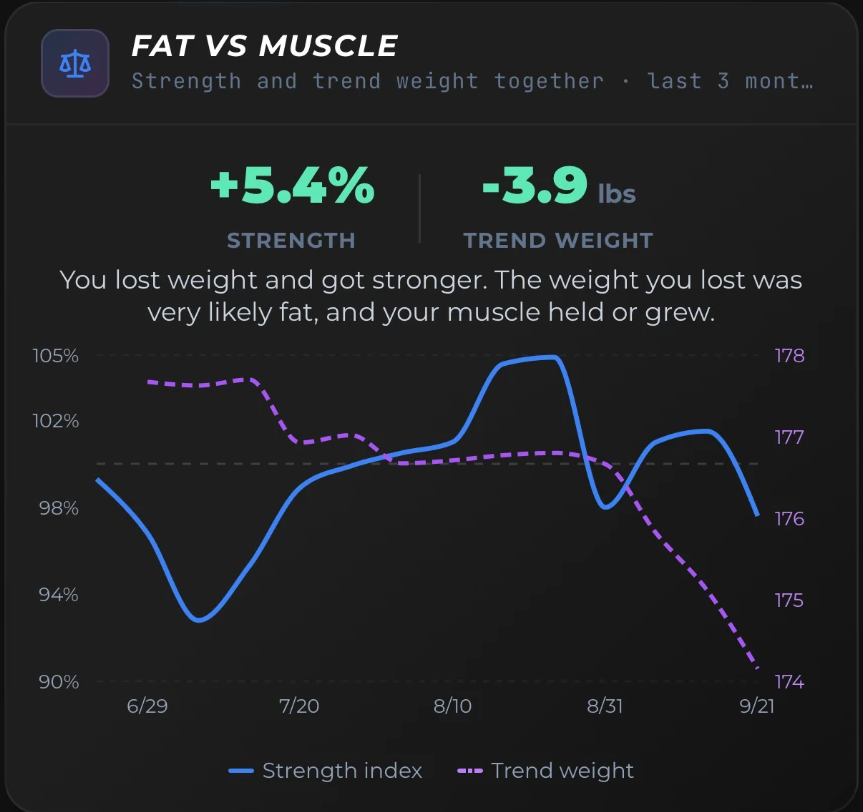
The feedback loop matters here. When your weekly training volume increases, having your macro targets alongside your workout log makes it easier to review both and spot where adjustments might be needed, without switching between apps.
Lifters tend to use this across phases like:
- Surplus while volume is high during a bulk
- Deficit with protein held steady during a cut
- Maintenance between training blocks
Reviewing both sides on the same weekly cadence, rather than daily, can make a combined log more useful. Daily numbers tend to fluctuate, so looking at them in context often gives you a clearer picture.
Where People Go Wrong With Combined Tracking
One potential problem is logging one side carefully and the other less consistently. A combined app is more useful when both logs contain enough detail to compare.
Another issue is focusing too much on daily macro precision while overlooking weekly trends in weight, reps, and bodyweight. Individual days can be noisy, so looking at the broader trend may give you a clearer picture.
Food tracking can also become a source of guilt after a bad session. It’s more useful when you treat nutrition as part of your training plan, rather than as something you need to compensate for.
It’s also worth being cautious about letting an app’s suggested target outweigh how a session actually felt. The log can help inform your next target, but today’s effort on the bar still depends on how you’re feeling and performing.
How TRY Fitness Handles Both in One Place
TRY Fitness automates your progressive overload: the target weight and reps for each set are built from your last workouts and updated after every workout. The built-in rest timer alerts you when it’s time for your next set, even when your phone is locked, so you don’t have to keep checking the screen between sets.
The free version includes your full training log with no time limit. Nutrition logging, targets and the AI features are part of Pro.
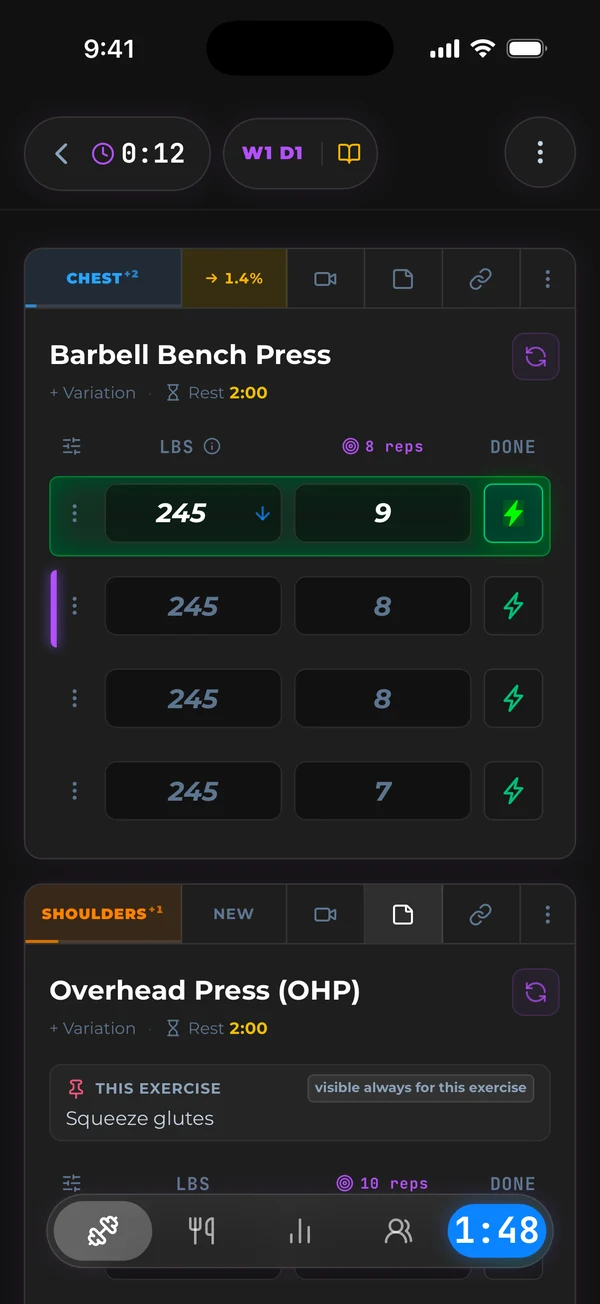
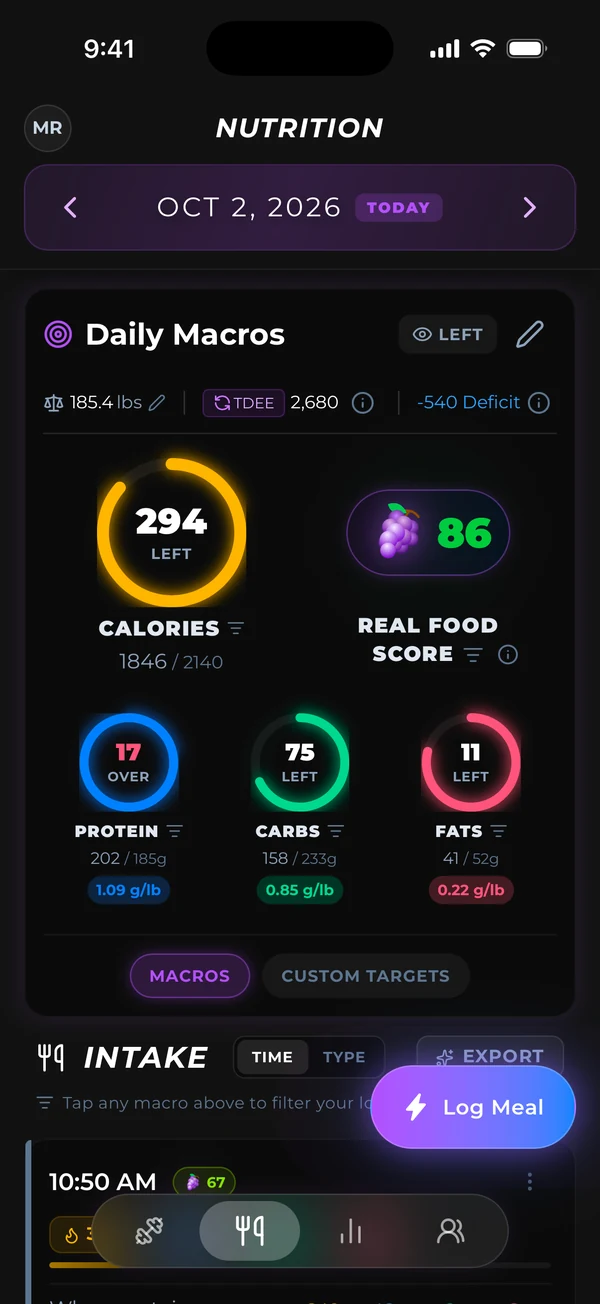
Did You Know? The training log is free with no time limit, so you can start there. Nutrition logging and targets are part of Pro.
See how lifting and macros work together in one app.
Pricing: One Subscription Instead of Two
TRY Fitness Pro costs $11.99 a month or $119.99 a year, on iPhone, Android and the web. New members can get the yearly plan for $79.99 in their first week and keep that price for as long as they stay subscribed.
The training log is free. Pro adds macro tracking and training targets on top of it, so you don’t pay for two separate apps.
Get TRY Fitness on iPhone or Android, and start with the free training log.
Using Both Logs Across a Training Block
If your goal or schedule changes mid-block, you can adjust your program and your macro targets in the same app. Looking at what you ate next to what you lifted each week can help you see whether the two are lined up.
If you want one place for your lifting log and your macros, start with TRY Fitness.